
• Link to X
  • Link to Youtube
 gcs.ac.uk
Student Portal
  • Moodle
  • Your Library
  • Office 365
  • GCS Training
  • D-EXY
  • ClubHub
  • Extra curricular
    • Sports Academies
  • Cymraeg
  • Click to open the search input field Click to open the search input field Search
  • Menu Menu

Library Services : Click and Click

Notice Board

Click and Click

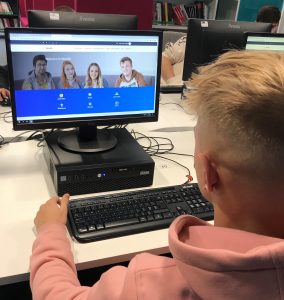
Book a PC or Study Space in our Libraries

We are delighted to welcome back students back to our library in Tycoch. You will be able to use a PC or bring your own laptop to study.

Make an appointment:

Tell us when you want to use a PC or book a study space, for how long and in which library. Drop-ins without an appointment are not permitted.

E-mail: library@gcs.ac.uk Text: 07393802205 Tel: 01792 284133

Session Times:

Morning               8.30 to 12.30

Afternoon           12.30 to 4.30

Evening                4.30 to 7.00 (Tuesday and Thursdays only)


Guidelines

  • Arrive at the agreed date/time: if you arrive late you may not be able to extend your visit. If you are unable to make your appointment please inform us so that we can allocate it to another student.
  • You will be shown to your allocated PC or study table.
  • You must stay at the PC/study space reserved for you. Please do not move chairs or desks. Furniture has been arranged to ensure social distancing.
  • Face masks must be worn on entry to the library and when you leave your PC and study table. You can remove your face mask whilst studying.
  • Ask a member of staff if you need a book. Browsing the shelves is not permitted.
  • Eating food and drinking is allowed, but for your own safety, please do not eat food and use the keyboard at the same time.
  • Whilst your PC/Study Space will be clean, you are encouraged to clean it before you study and when you leave.

13 October 2020
https://studentportal.gcs.ac.uk/wp-content/uploads/2020/09/tycoch-lib-1500x630-1.jpg 630 1500 joshua https://studentportal.gcs.ac.uk/wp-content/uploads/2020/09/porth-myfyrwyr-300x142.png joshua2020-10-13 10:53:262020-10-13 10:53:26Library Services : Click and Click
0 replies

Leave a Reply

Want to join the discussion?
Feel free to contribute!

Leave a Reply Cancel reply

Your email address will not be published. Required fields are marked *

Find eNGAGE on the App Store & Google Play.

GCS Active

Keep up with #GCSActive on Instagram, Twitter and YouTube.

Resources A-F

  • Absence Reporting
  • Bus Passes
  • Careers Wales
  • College News
  • eNGAGE
  • Exam & Assessment information
  • Explore
  • Futures

G-O

  • GCSTV
  • GCS Active
  • Higher Education
  • Jobs
  • Learning Support
  • Library
  • Logon Help
  • Moodle
  • My e-Tutorial
  • Notice Board
  • Office 365
  • Online Learning Help
  • Oxbridge

P-Z

    • Student Support
    • Togetherall
    • Term dates
        • Prevent
        • Parents’ Zone
        • Safeguarding
        • Sports Academies
        • Sports Centre
    • Welcome Page
    • Welsh Language
    • Wellbeing Hub
    • W.E.S.T.
    • WiFi
    • WorldSkills


Search Search

Gower College Swansea

© Digital Solutions - Gower College Swansea - powered by Enfold WordPress Theme
  • Learner Charter
  • GDPR
  • Privacy Notice
  • English
  • Cymraeg
Scroll to top Scroll to top Scroll to top